
Keyword Research for Business: Google Search Console for Beginners
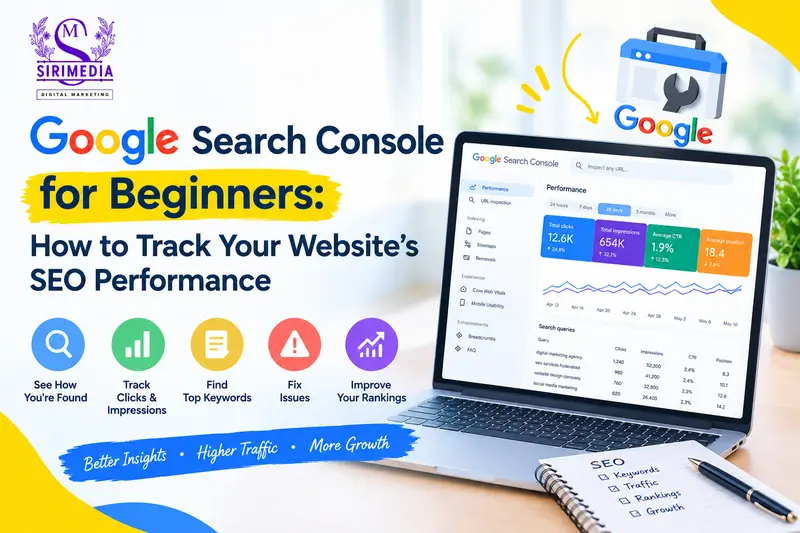
Keyword research for business is an important part of understanding how people find your website on Google. Google Search Console can help you discover the search queries bringing visitors to your website, monitor clicks and impressions, identify indexing problems, and understand how your pages are performing in Google Search.
If you are a small business owner, blogger, freelancer, or digital marketer, learning how to use Google Search Console can help you make better SEO decisions without relying only on expensive SEO tools.
SEO Information
Focus Keyword: keyword research for business
SEO Title: Keyword Research for Business: Google Search Console Guide
Meta Description: Learn keyword research for business using Google Search Console. Discover search queries, clicks, impressions, CTR, rankings, indexing issues, and SEO opportunities.
Suggested URL Slug:google-search-console-keyword-research-business
Category: SEO
Suggested Tags:
Google Search Console, keyword research for business, SEO, SEO keywords, Google SEO, website traffic, search performance, SEO for beginners
What Is Google Search Console?
Google Search Console is a free service from Google that helps website owners understand how their websites appear in Google Search.
It provides useful information about:
- Search queries
- Website clicks
- Search impressions
- Click-through rate (CTR)
- Average search position
- Indexed pages
- Page indexing problems
- Core Web Vitals
- Mobile usability
- Sitemap status
- Website security issues
- Search performance
Unlike some SEO tools that estimate search data, Google Search Console provides data directly related to your website’s presence in Google Search.
Why Is Keyword Research for Business Important?
Keyword research for business helps you understand what your potential customers are searching for online.
For example, imagine you operate a digital marketing agency in Hyderabad.
Your potential customers might search for:
- digital marketing agency in Hyderabad
- SEO services in Hyderabad
- social media marketing agency
- Google Ads agency near me
- local SEO services
- website development company
- Google Maps SEO services
These search terms can give you ideas for website pages, blog posts, service pages, FAQs, and other content.
Google Search Console can then show you which search queries are actually generating impressions and clicks for your website.
This makes it useful not only for SEO tracking but also for finding new content opportunities.
How to Set Up Google Search Console
Before using Google Search Console for SEO analysis, you need to add and verify your website.
Step 1: Open Google Search Console
Visit Google Search Console and sign in using your Google account.
Step 2: Add Your Website
Google provides different property options for websites.
You can generally add your website using:
- Domain property
- URL-prefix property
For most businesses, a Domain property can provide a broader view of the website’s performance across different versions of the domain.
Step 3: Verify Your Website
Google needs to confirm that you own or manage the website.
Depending on the property type, verification can involve methods such as:
- DNS verification
- HTML file upload
- HTML meta tag
- Google Analytics
- Google Tag Manager
Follow Google’s instructions for the verification method available to you.
Submit Your Sitemap
After verifying your website, submit your XML sitemap.
A sitemap helps Google discover URLs that you want it to crawl and potentially index.
For a WordPress website, your SEO plugin may automatically generate a sitemap.
Common sitemap locations include:
/sitemap_index.xml
or
/sitemap.xml
Before submitting your sitemap, make sure the sitemap URL actually works and contains the important pages of your website.
Why Is a Sitemap Important for Keyword Research for Business?
A sitemap does not directly improve your keyword rankings.
However, it helps Google discover your website’s important URLs. Once those pages are crawled and indexed, their search performance can appear in Google Search Console.
This gives you more data that can support your keyword research for business strategy.
Understanding the Google Search Console Performance Report
The Performance report is one of the most useful sections of Google Search Console.
It helps you understand how users find your website through Google Search.
The main metrics include:
- Total clicks
- Total impressions
- Average CTR
- Average position
Let’s understand each one.
1. Total Clicks
Clicks show how many times users clicked your website from Google Search during the selected period.
For example:
If your website received 500 clicks, that means users clicked your website 500 times from Google Search during that period.
More relevant clicks can potentially bring more visitors, enquiries, sales, or other conversions.
However, traffic should always be evaluated based on business goals rather than numbers alone.
2. Total Impressions
Impressions represent how often your website appeared in Google Search results.
For example, your website might receive:
20,000 impressions and 500 clicks.
This means your pages were shown in search results many times, but only a portion of users clicked them.
High impressions with low clicks can indicate an opportunity to improve your search result titles and descriptions.
3. Average CTR
CTR means Click-Through Rate.
It represents the percentage of impressions that resulted in clicks.
The basic formula is:
CTR = Clicks ÷ Impressions × 100
For example:
500 clicks ÷ 20,000 impressions × 100 = 2.5% CTR
CTR can vary significantly depending on the keyword, search intent, position, industry, device, and type of search result.
There is no single CTR number that is ideal for every website.
4. Average Position
Average position provides an indication of where your website appeared in Google Search for the queries included in the report.
For example:
- Position 1
- Position 5
- Position 10
- Position 20
A lower numerical position generally represents a higher position in the search results.
Remember that average position is an aggregated metric and should not be interpreted as a guaranteed ranking for every user.
How to Find Keywords in Google Search Console
One of the most useful features for keyword research for business is the Queries section.
Go to:
Google Search Console → Performance → Search Results → Queries
You can see the search queries for which your website received impressions or clicks.
For example:
| Search Query | Clicks | Impressions | CTR | Position |
|---|---|---|---|---|
| SEO services Hyderabad | 25 | 850 | 2.9% | 8.4 |
| digital marketing Hyderabad | 18 | 1,200 | 1.5% | 11.2 |
| local SEO services | 12 | 650 | 1.8% | 9.7 |
These queries can help you understand what your audience is searching for.
How to Use Google Search Console for Keyword Research for Business
Google Search Console can uncover keyword opportunities that you may not have specifically targeted.
Here is a simple process.
Step 1: Open the Queries Report
Go to:
Performance → Search Results → Queries
Step 2: Look for Relevant Queries
Identify searches related to your products, services, industry, or location.
Step 3: Check Impressions
Look for queries generating a reasonable number of impressions.
Step 4: Check Your Position
Queries ranking around positions 5–20 can be useful areas to investigate.
Step 5: Check CTR
If a page receives many impressions but relatively few clicks, review its search-result title and description.
Step 6: Check the Relevant Page
Click the query and then select the Pages tab.
This shows which page is appearing for that search query.
Step 7: Improve the Page
Consider improving:
- Search intent
- Page title
- Headings
- Content depth
- Internal links
- FAQs
- Images and alt text
- Calls to action
- Overall user experience
Do not simply repeat the keyword unnecessarily.
Keyword Research for Business: Find Content Ideas from Search Queries
Your Search Console queries can also become future blog topics.
Suppose you run a healthcare marketing agency and discover queries such as:
- healthcare SEO services
- SEO for hospitals
- digital marketing for doctors
- hospital marketing ideas
- local SEO for clinics
You could create useful content around these topics.
For example:
Blog Topic Ideas
How Local SEO Helps Clinics Attract Nearby Patients
SEO Strategies for Hospitals and Healthcare Businesses
Digital Marketing Ideas for Doctors and Clinics
This approach allows your content strategy to be based on actual search behaviour related to your website.
How to Find Pages That Need Improvement
Google Search Console can also help you identify pages that are receiving impressions but not enough clicks.
Go to:
Performance → Search Results → Pages
You can review:
- Clicks
- Impressions
- CTR
- Average position
Suppose one of your pages receives:
10,000 impressions
but only:
100 clicks
You could investigate whether the page title and search snippet accurately communicate what the page offers.
You can also check whether the page satisfies the search intent behind the queries generating those impressions.
How to Improve CTR from Google Search
If a page has strong impressions but a low CTR, review the page’s search-result presentation.
Consider improving your:
Page Title
Make the title clear, specific, and relevant to the search intent.
Instead of:
SEO Services
You might use:
SEO Services in Hyderabad for Small Businesses
if that accurately represents the page.
Meta Description
Write a useful description that explains what the visitor can expect from the page.
Avoid misleading claims or excessive keyword repetition.
Search Intent
Make sure the page actually answers the question or need behind the search query.
A high impression count does not automatically mean the page should receive more clicks. Relevance and intent are important.
How to Check Website Indexing
Google Search Console also provides information about whether Google has indexed your pages.
Go to:
Indexing → Pages
You may see categories such as:
- Indexed
- Not indexed
- Error
- Valid with warnings
Not every URL needs to be indexed.
For example, duplicate pages, administrative URLs, or pages that are intentionally excluded may not need to appear in Google’s index.
The goal is to make sure your important, useful pages can be discovered, crawled, and indexed.
Use URL Inspection to Check Individual Pages
The URL Inspection tool allows you to check a specific URL.
You can use it to understand whether Google knows about a page and whether it has been indexed.
You can also request indexing after making important changes, although requesting indexing does not guarantee immediate crawling or ranking.
This tool is especially useful when you publish:
- New service pages
- New blog posts
- Important website updates
- New landing pages
Google Search Console and Technical SEO
Google Search Console is not only a keyword tool.
It can also help you identify technical SEO issues.
Depending on your website and Search Console data, you may review:
- Page indexing
- Sitemap problems
- Core Web Vitals
- HTTPS/security issues
- Mobile-related issues
- Structured data enhancements
- Manual actions
Technical SEO problems can sometimes prevent search engines from properly accessing or understanding important pages.
What Are Core Web Vitals?
Core Web Vitals are user-experience metrics related to loading performance, responsiveness, and visual stability.
Google Search Console can provide reports related to these metrics.
Important concepts include:
- Largest Contentful Paint (LCP)
- Interaction to Next Paint (INP)
- Cumulative Layout Shift (CLS)
Improving website performance can provide a better experience for visitors.
However, technical improvements alone do not guarantee higher rankings.
Your website should also provide useful, relevant, trustworthy content.
How Often Should You Check Google Search Console?
You do not need to check Google Search Console every hour.
For most small businesses, checking it regularly is enough.
A practical routine could be:
Weekly
Check for major indexing or technical problems.
Monthly
Review:
- Top queries
- Top pages
- Clicks
- Impressions
- CTR
- Average position
Quarterly
Perform a deeper SEO review.
Look for:
- New keyword opportunities
- Declining pages
- Content gaps
- Pages that need updating
- Technical issues
- Changes in search performance
The appropriate frequency depends on how frequently your website changes and how important organic search is to your business.
Common Google Search Console Mistakes
Avoid these common mistakes when using Search Console.
1. Checking Only Rankings
SEO is not only about rankings.
Also consider:
- Relevant traffic
- Impressions
- CTR
- Leads
- Sales
- Engagement
- Conversions
2. Chasing Every Keyword
Not every search query is relevant to your business.
Focus on queries that match your products, services, audience, and business objectives.
3. Keyword Stuffing
Do not repeatedly insert the same keyword into every heading and paragraph.
Write naturally for people first.
4. Ignoring Search Intent
A keyword may have high search volume but still be irrelevant to your business.
Understand what users are actually trying to find.
5. Ignoring Technical Problems
A great article cannot perform properly if important technical problems prevent Google from accessing or understanding the page.
6. Expecting Instant Results
SEO generally requires time.
Search performance can change because of competition, content updates, search behaviour, algorithm changes, seasonality, and many other factors.
Google Search Console vs Keyword Research Tools
Google Search Console and traditional keyword research tools serve different purposes.
Google Search Console
Useful for understanding:
- Queries your website already appears for
- Your clicks
- Impressions
- CTR
- Average position
- Page performance
Keyword Research Tools
Often useful for discovering:
- New keyword ideas
- Related searches
- Estimated search volume
- Keyword competition
- Content opportunities
For a strong keyword research for business workflow, you can use keyword research tools to discover opportunities and Google Search Console to understand how your existing website performs in Google Search.
Simple Keyword Research for Business Workflow
Here is a simple process you can follow.
Step 1: Understand Your Audience
Identify your target customers and their problems.
Step 2: Create Initial Keyword Ideas
Think about the products and services your customers might search for.
Step 3: Research Related Keywords
Use keyword research tools and Google Search data to discover relevant terms.
Step 4: Create Useful Content
Build service pages, landing pages, blog posts, FAQs, and supporting content.
Step 5: Submit Your Sitemap
Make sure Google can discover your important URLs.
Step 6: Monitor Search Console
Track impressions, clicks, CTR, positions, queries, and pages.
Step 7: Improve Existing Content
Update pages based on useful search data and changing customer needs.
Step 8: Measure Business Results
Connect SEO activity to enquiries, leads, sales, bookings, or other meaningful business outcomes.
Frequently Asked Questions
What is keyword research for business?
Keyword research for business is the process of identifying search terms that potential customers use when looking for products, services, information, or solutions related to a business.
Is Google Search Console free?
Yes. Google Search Console is a free Google service for website owners and administrators.
Can Google Search Console show keywords?
Yes. The Performance report can show search queries for which your website appeared in Google Search, along with metrics such as clicks, impressions, CTR, and average position.
Can Google Search Console improve SEO automatically?
No. Search Console provides data and diagnostic information. You need to analyze that information and make appropriate changes to your website and content.
How long does SEO take to show results?
There is no fixed timeframe. Results depend on factors such as website history, competition, content quality, technical SEO, search demand, authority, and the changes being made.
Should I use Google Search Console for keyword research?
Yes. It can be particularly useful for understanding the search queries already bringing visibility to your website and identifying relevant opportunities for improvement.
What is a good CTR in Google Search Console?
There is no universal “good” CTR. CTR varies depending on search position, query type, industry, device, competition, and search features. Compare your performance over time and against similar queries and pages rather than relying on one fixed benchmark.
Final Thoughts
Google Search Console is one of the most useful free tools for understanding how your website performs in Google Search. When combined with keyword research for business, it can help you discover relevant search queries, identify content opportunities, improve existing pages, monitor indexing, and make more informed SEO decisions.
The key is not simply to collect keywords.
Instead, use search data to understand what your potential customers are looking for and then create genuinely useful content that answers their needs.
If you consistently monitor your website, improve important pages, fix technical problems, and create helpful content, Google Search Console can become an important part of your long-term SEO workflow.
Need Help With SEO?
If you want to improve your website’s organic visibility, keyword strategy, local SEO, content, or Google Search performance, Siri Media can help you build a practical digital marketing strategy based on your business goals.
Contact Siri Media to discuss your SEO and digital marketing requirements.