
Introduction: Why a WhatsApp Business Catalogue Matters
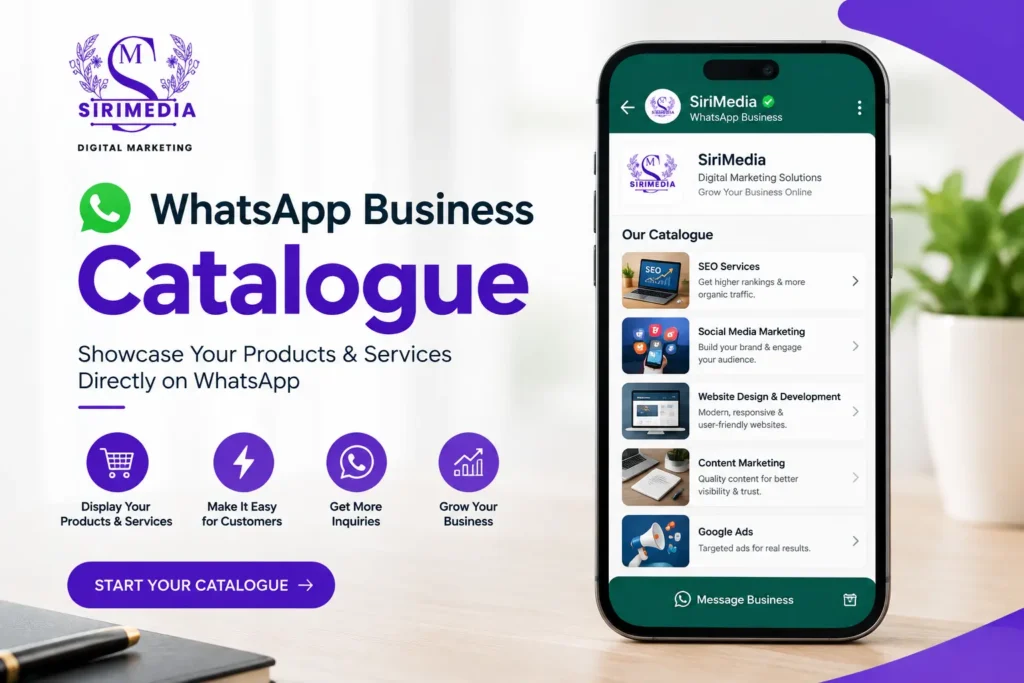
WhatsApp Business catalogue helps small businesses showcase their products or services directly inside WhatsApp, making it easier for customers to discover what you offer and start an enquiry. Instead of sending product photos and prices individually to every customer, businesses can organize important product information in one place.
A well-managed catalogue can make customer conversations more organized and reduce the time spent answering repetitive questions. When combined with quick replies, labels, and a simple enquiry process, WhatsApp Business can become a useful sales and customer-management channel.
In this guide, we will explain how to set up your catalogue and manage customer inquiries more efficiently.
1. Set Up Your WhatsApp Business Profile
Before creating your catalogue, make sure your business profile provides customers with useful information.
Add Your Business Information
Include details such as:
- Business name
- Business category
- Business description
- Business address, if relevant
- Business hours
- Website
- Email address
Your profile should clearly explain what your business does.
Write a Clear Business Description
Keep your description short and customer-focused.
For example:
We provide customised digital marketing services for small and growing businesses, including SEO, social media marketing, website development and content marketing.
A clear description helps new customers understand your business before they start a conversation.
2. Create Your WhatsApp Business Catalogue
A catalogue allows you to display products or services with relevant information such as images, names, descriptions, and prices.
Add Your First Product or Service
Start by adding your most important products or services.
For each catalogue item, prepare:
- Product or service name
- High-quality image
- Short description
- Price, where applicable
- Product or service code, if useful
- Website or additional information, where applicable
Keep the information accurate and easy to understand.
Use High-Quality Product Images
Images are one of the first things customers notice.
Use images that are:
- Clear
- Well-lit
- Relevant to the product
- Consistent in style
- Free from unnecessary distractions
For service businesses, you can use suitable graphics, project screenshots, service illustrations, or other visuals that accurately represent the service.
3. Write Product Descriptions That Answer Customer Questions
A product description should provide enough information to help a customer decide whether they want to ENQUIRY.
Include Important Details
Depending on your business, mention:
- Product features
- Main benefits
- Size or specifications
- Available options
- Pricing information
- Delivery information
- Service coverage
- Warranty information, if applicable
For example:
Example: Water Purifier
Product Name: 7-Stage RO Water Purifier
Description:
Advanced multi-stage water purification system designed for households. Suitable for applicable water sources and available with different purification configurations.
The goal is to give customers useful information without writing an unnecessarily long description.
4. organize Products Into Catalogue Categories
If your business offers many products, organizing them into collections or categories can make browsing easier.
Example for a Clothing Business
You could organize products around:
- Men’s Wear
- Women’s Wear
- Kids’ Wear
- New Arrivals
- Offers
Example for a Digital Marketing Agency
A service catalogue could include:
- SEO Services
- Social Media Marketing
- Website Development
- Content Marketing
- AEO Services
- Digital Growth Strategy
organized categories make it easier for customers to find the service or product they are interested in.
5. Use WhatsApp Quick Replies
Small businesses often receive the same questions repeatedly.
Quick replies can help you respond to common questions more efficiently.
Common Quick Reply Examples
You can prepare responses for:
Price enquiry
Hi! Thank you for your enquiry. Please let us know which product or service you’re interested in, and we’ll share the current details.
Business hours
Our business hours are [business hours]. Please send your requirement, and our team will get back to you.
Location enquiry
Thank you for contacting us. We are located at [location]. Please let us know if you need directions or additional information.
Service enquiry
Thank you for your interest. Please tell us which service you need and briefly describe your requirement so we can assist you.
Keep Replies Personal
Quick replies should save time without making conversations feel robotic.
After sending a standard response, continue the conversation based on the customer’s actual requirement.
6. Use Labels to organize Customer inquiries
As your number of inquiries increases, it can become difficult to remember which customers need follow-up.
Labels can help you organize conversations according to their stage or requirement.
Useful Customer Labels
For example:
- New Enquiry
- New Customer
- Follow Up
- Interested
- Quote Sent
- Payment Pending
- Order Confirmed
- Completed
- Not Interested
You can create a system that matches your business process.
Create a Simple Enquiry Pipeline
A small business could organize inquiries like this:
New Enquiry → Requirement Confirmed → Quote Sent → Follow-Up → Converted
This simple process can make it easier to identify conversations that need attention.
7. Respond Quickly to New inquiries
A customer who sends a message may be contacting several businesses at the same time.
Acknowledge the Enquiry
Even if you cannot provide a detailed response immediately, acknowledge the message.
For example:
Hi! Thanks for contacting us. We’ve received your enquiry and will get back to you shortly.
This lets the customer know that their message has been received.
Ask Relevant Questions
Instead of immediately sending a long sales message, understand what the customer needs.
You might ask:
- Which product are you interested in?
- What service do you need?
- What is your location?
- When do you need the product or service?
- Do you have a specific budget or requirement?
Ask only questions that are genuinely useful for handling the enquiry.
8. Turn Catalogue Browsing Into Customer inquiries
Your catalogue should make it easy for customers to move from viewing a product to starting a conversation.
Add Clear Information
Customers should quickly understand:
What is it? → How much does it cost? → What are the benefits? → How can I ENQUIRE?
Avoid forcing customers to ask basic questions that could have been answered in the catalogue.
Use Strong Product Images and Descriptions
A customer should be able to understand the basic offering before contacting you.
This makes the conversation more focused because the customer can ask questions about their specific requirements rather than requesting basic product information.
9. Create a Consistent Enquiry Management Process
WhatsApp can become difficult to manage when inquiries are handled randomly.
Use a Simple Workflow
A practical workflow can look like:
Step 1: Customer discovers your catalogue
Step 2: Customer sends an enquiry
Step 3: Business acknowledges the message
Step 4: Business understands the requirement
Step 5: Product, price, or quotation is shared
Step 6: Conversation receives an appropriate label
Step 7: Follow-up is scheduled when necessary
Step 8: Customer purchases or the enquiry is closed
This process can help small businesses avoid losing potential customers in busy WhatsApp conversations.
10. Follow Up With Interested Customers
Not every customer will purchase immediately.
Some may need additional information or time before making a decision.
Don’t Follow Up Too Aggressively
A follow-up should be useful rather than repetitive.
For example:
Hi, just checking whether you had any questions about the product we discussed. Please let us know if you’d like any additional information.
The exact timing of a follow-up should depend on your product, sales cycle, and customer expectations.
Use Labels to Find Follow-Up Conversations
A Follow Up label can help you quickly identify customers who need another message.
This is especially useful when your business receives many inquiries every day.
11. Use WhatsApp Business for Different Types of Businesses
A WhatsApp Business catalogue can work for both product-based and service-based businesses.
Retail Businesses
Retailers can showcase:
- Clothing
- Electronics
- Home products
- Accessories
- Beauty products
- Food products
Local Service Businesses
Service providers can showcase:
- Cleaning services
- Repair services
- Digital marketing
- Website development
- Photography
- Interior design
- Consulting
For service businesses, each catalogue item can represent a specific service or package rather than a physical product.
12. Keep Your Catalogue Updated
An outdated catalogue can create confusion and unnecessary conversations.
Review Product Information Regularly
Check:
- Product availability
- Prices
- Images
- Descriptions
- Service details
- Offers
- Links
- Discontinued products
Remove products or services that you no longer offer.
Keep Pricing Accurate
If you display prices, make sure they are current.
If pricing varies depending on requirements, clearly communicate that customers need to contact you for a quotation.
For example:
Starting from ₹X — final pricing depends on your requirements.
Only use actual prices that your business currently offers.
13. Make Your WhatsApp Business Catalogue Professional
A professional catalogue should look consistent across all products and services.
Maintain Consistent Images
Try to use a similar visual style for your product images.
For example:
- Similar image dimensions
- Consistent backgrounds
- Consistent branding
- Clear product presentation
- Easy-to-read graphics
Keep Descriptions Easy to Scan
Use short sentences and focus on the information customers actually need.
Avoid filling descriptions with unnecessary marketing language.
14. Track Common Customer Questions
Your WhatsApp conversations can reveal what information customers need most.
Identify Repeated Questions
If customers frequently ask:
What is the price?
then make pricing information clearer.
If they repeatedly ask:
Is delivery available?
add relevant delivery information.
If customers ask:
What services do you provide?
make your catalogue categories and business description more comprehensive.
The questions customers ask can help you improve the catalogue over time.
15. Common Mistakes to Avoid
Using Poor-Quality Images
Blurry or inconsistent images can make your catalogue look unprofessional.
Writing Extremely Long Descriptions
Customers usually want important information quickly. Keep descriptions focused.
Not Updating Prices
Incorrect prices can create unnecessary conversations and customer frustration.
Ignoring inquiries
A catalogue is useful only when inquiries are handled properly.
Using Too Many Labels
Create labels that match your actual workflow. Too many labels can make organization harder rather than easier.
Sending the Same Message to Everyone
Templates can save time, but conversations should still be personalized according to the customer’s requirement.
16. Simple WhatsApp Enquiry Management System
Small businesses don’t necessarily need a complicated system to start organizing their WhatsApp inquiries.
Recommended Structure
Use:
Catalogue: Show your products and services.
Quick Replies: Answer common questions quickly.
Labels: organize customers according to enquiry stage.
Follow-Ups: Reconnect with interested customers.
Updated Information: Keep prices, availability, and descriptions accurate.
This creates a simple system for managing customer conversations.
Frequently Asked Questions
What Is a WhatsApp Business Catalogue?
A WhatsApp Business catalogue is a feature that allows businesses to showcase products or services with information such as images, descriptions, and pricing details.
Is a WhatsApp Business Catalogue Useful for Small Businesses?
Yes. It can provide customers with an organized way to view products or services and begin inquiries directly through WhatsApp.
Can Service Businesses Use a WhatsApp Catalogue?
Yes. Service businesses can use catalogue items to present individual services, packages, or offerings.
How Should I organize WhatsApp Customer inquiries?
You can use labels based on your sales process, such as New Enquiry, Follow Up, Quote Sent, Payment Pending, and Completed.
What Should I Include in Product Descriptions?
Include the information customers need to understand the product or service, such as key features, benefits, specifications, pricing, availability, and other relevant details.
Conclusion
A WhatsApp Business catalogue can give small businesses a simple way to present their products and services while making customer conversations more organized. But the catalogue is only one part of an effective WhatsApp sales process.
Combine clear product information with quick replies, customer labels, timely follow-ups, and accurate catalogue updates. This can make it easier for customers to find what they need and easier for your business to manage inquiries.
The goal is simple: show the right information, respond efficiently, organize every enquiry, and make it easy for interested customers to take the next step.